LocationViewer

LocationViewer
-> Datenschutzerklärung zur App
Erinnerungen haben einen Ort
Entdecke deine Fotos dort, wo sie entstanden sind.
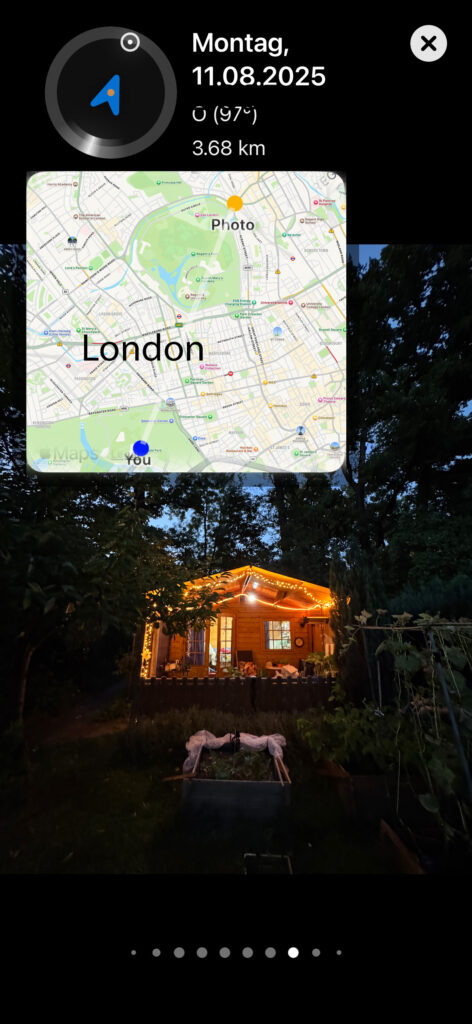
„Fotos in der Nähe“ zeigt dir automatisch Bilder aus deiner eigenen Fotobibliothek, die in unmittelbarer Umgebung deines aktuellen Standorts aufgenommen wurden. So verbindest du Orte mit Erinnerungen – schnell, übersichtlich und ganz ohne Umwege.
Funktionen im Überblick
- Automatische Standorterkennung: Die App nutzt deinen aktuellen Standort, um passende Fotos in der Nähe zu finden.
- Intelligente Fotoauswahl: Es werden ausschließlich Fotos mit gespeicherten GPS-Daten berücksichtigt.
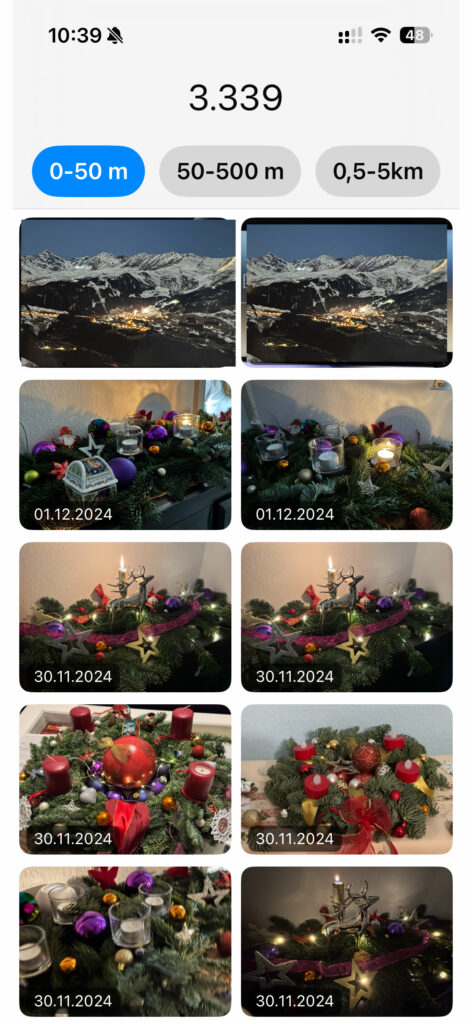
- Datum direkt im Bild: Jedes Foto zeigt gut lesbar das Aufnahmedatum als dezentes Overlay.
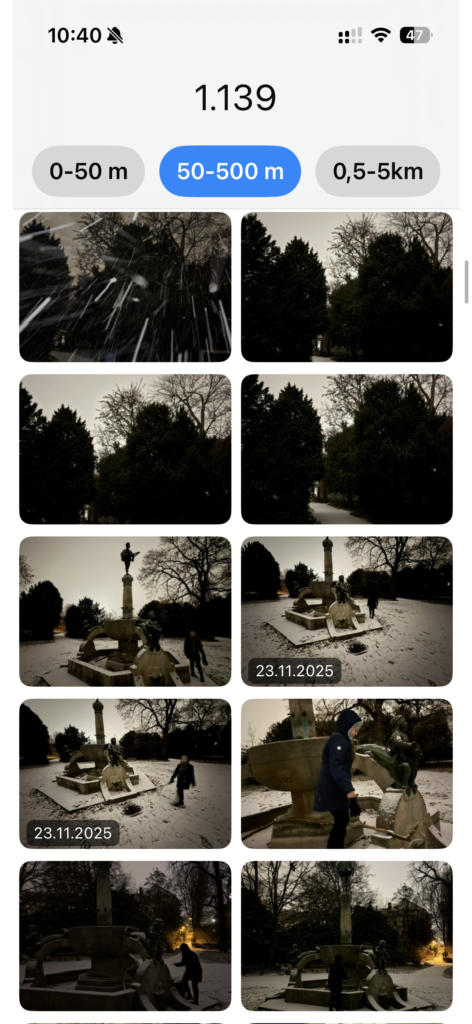
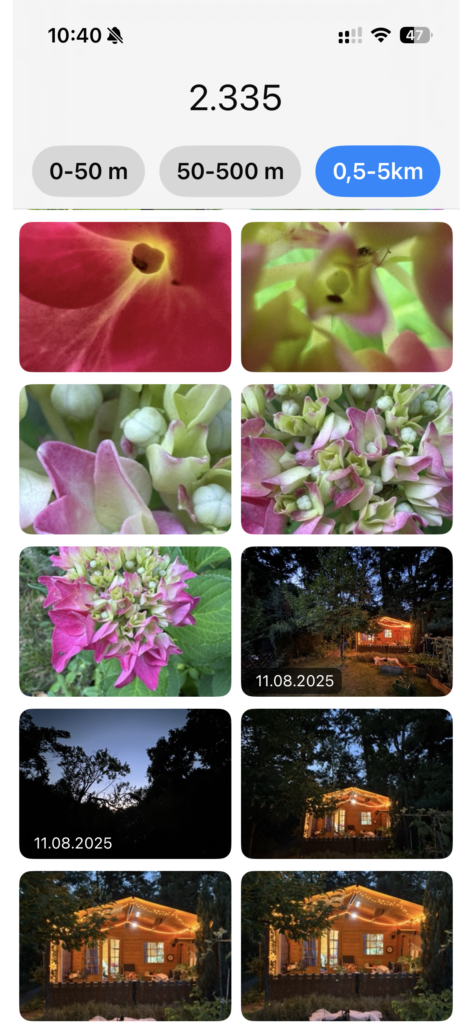
- Übersichtliches Grid-Layout: Zwei-Spalten-Ansicht für schnelles Durchstöbern deiner Erinnerungen.
- Live-Statistik: Transparente Anzeige, wie viele Fotos geprüft und gefunden wurden.
- Kein Import, keine Duplikate: Die App greift direkt auf deine bestehende Fotomediathek zu.
Überblick
Mit Fotos in der Nähe kannst du Bilder aus deiner eigenen Fotomediathek anzeigen lassen, die in der Umgebung deines aktuellen Standorts aufgenommen wurden. Die App arbeitet vollständig lokal auf deinem Gerät.
App starten
- Öffne die App Fotos in der Nähe
- Beim ersten Start wirst du um Berechtigungen gebeten
Berechtigungen erlauben
Damit die App funktioniert, sind zwei Freigaben erforderlich:
Standort
- Erlaube „Beim Verwenden der App“
- Der Standort wird nur temporär genutzt, um passende Fotos zu finden
Fotos
- Erlaube den Zugriff auf deine Fotomediathek
- Die App zeigt nur Fotos an, speichert oder überträgt aber keine Bilder
Ohne diese Freigaben können keine Fotos angezeigt werden.
Fotos anzeigen
Nach der Freigabe:
- Die App ermittelt deinen aktuellen Standort
- Fotos mit gespeicherten GPS-Daten werden durchsucht
- Passende Bilder erscheinen automatisch im Raster
Jedes Foto zeigt:
- das Aufnahmedatum direkt im Bild
Statistik verstehen
Unter oder über der Galerie wird eine Statistik angezeigt, z. B.:
- Geprüft: Anzahl der durchsuchten Fotos
- Mit Standort: Fotos mit GPS-Daten
- Ohne Standort: Fotos ohne Ortsinformation
- In der Nähe: Tatsächlich gefundene Fotos
Diese Angaben helfen zu verstehen, warum ggf. keine Fotos angezeigt werden.
Keine Fotos gefunden?
Das kann mehrere Gründe haben:
- Viele Fotos enthalten keine Standortdaten (z. B. Downloads, Messenger-Bilder)
- Der Aufnahmeort liegt außerhalb des Suchradius
- Standort- oder Fotozugriff wurde nicht erlaubt
Tipp: Teste die App an einem Ort, an dem du sicher Fotos aufgenommen hast.
Datenschutz & Sicherheit
- Alle Daten bleiben auf deinem Gerät
- Keine Cloud, keine Server, kein Tracking
- Keine Registrierung oder Anmeldung erforderlich
Häufige Fragen
Werden Fotos gespeichert oder hochgeladen?
Nein. Die App zeigt Fotos ausschließlich lokal an.
Wird mein Standort gespeichert?
Nein. Der Standort wird nur kurzzeitig zur Suche verwendet.
Kann ich Fotos bearbeiten oder teilen?
Nein. Die App ist eine reine Anzeige- und Entdeckungsfunktion.
Zusammenfassung
- Schnell Fotos in deiner Umgebung entdecken
- Klarer Fokus auf Datenschutz
- Einfach, übersichtlich, lokal

LocationViewer
-> Privacy Information for App
Memories have a place
Discover your photos where they were taken.
‘Photos nearby’ automatically shows you images from your own photo library that were taken in the immediate vicinity of your current location. This allows you to connect places with memories – quickly, clearly and without any detours.
Features at a glance
- Automatic location detection: The app uses your current location to find matching photos nearby.
- Intelligent photo selection: Only photos with stored GPS data are considered.
- Date directly in the image: Each photo clearly displays the date it was taken as a subtle overlay.
- Clear grid layout: Two-column view for quickly browsing through your memories.
- Live statistics: Transparent display of how many photos have been checked and found.
- No import, no duplicates: The app accesses your existing photo library directly.
Overview
With Photos Nearby, you can view images from your own photo library that were taken in the vicinity of your current location. The app works entirely locally on your device.
Launch the app
- Open the Photos Nearby app
- When you launch it for the first time, you will be asked for permissions
Allow permissions
Two permissions are required for the app to work:
Location
- Allow ‘While using the app’
- Your location is only used temporarily to find matching photos.
Photos
- Allow access to your photo library
- The app only displays photos; it does not store or transfer any images.
Without these permissions, no photos can be displayed.
Display photos
After granting permissions:
- The app determines your current location
- Photos with stored GPS data are searched
- Matching images automatically appear in the grid
Each photo shows:
- the date taken directly in the image
Understanding statistics
Statistics are displayed below or above the gallery, e.g.:
- Checked: Number of photos searched
- With location: Photos with GPS data
- Without location: Photos without location information
- Nearby: Photos actually found
This information helps you understand why no photos may be displayed.
No photos found?
There may be several reasons for this:
- Many photos do not contain location data (e.g. downloads, messenger images)
- The location where the photo was taken is outside the search radius
- Location or photo access was not permitted
Tip: Test the app in a place where you know you have taken photos.
Data protection & security
- All data remains on your device
- No cloud, no servers, no tracking
- No registration or login required
Frequently asked questions
Are photos saved or uploaded?
No. The app only displays photos locally.
Is my location stored?
No. The location is only used briefly for searching.
Can I edit or share photos?
No. The app is purely for viewing and discovery.
Summary
- Quickly discover photos in your area
- Clear focus on data protection
- Simple, clear, local- >